Hyper Terminal i3
i3 + i3bar, X11
A deliberately simple X11 session: plain i3 with my niri keybinds, pitch black and colored like the VS Code Hyper theme. Kitty, Rofi, notifications and LazyVim all switch to the same palette, but only inside i3. Pick i3 in the login screen; every dotswap profile and the install script below ship it.
Install just i3
Only the i3 session: its packages and configs, no Hyprland rices. Asks whether you want the fullscreen blinking low-battery alert.
$ curl -fsSL solta.tech/install/i3 | bash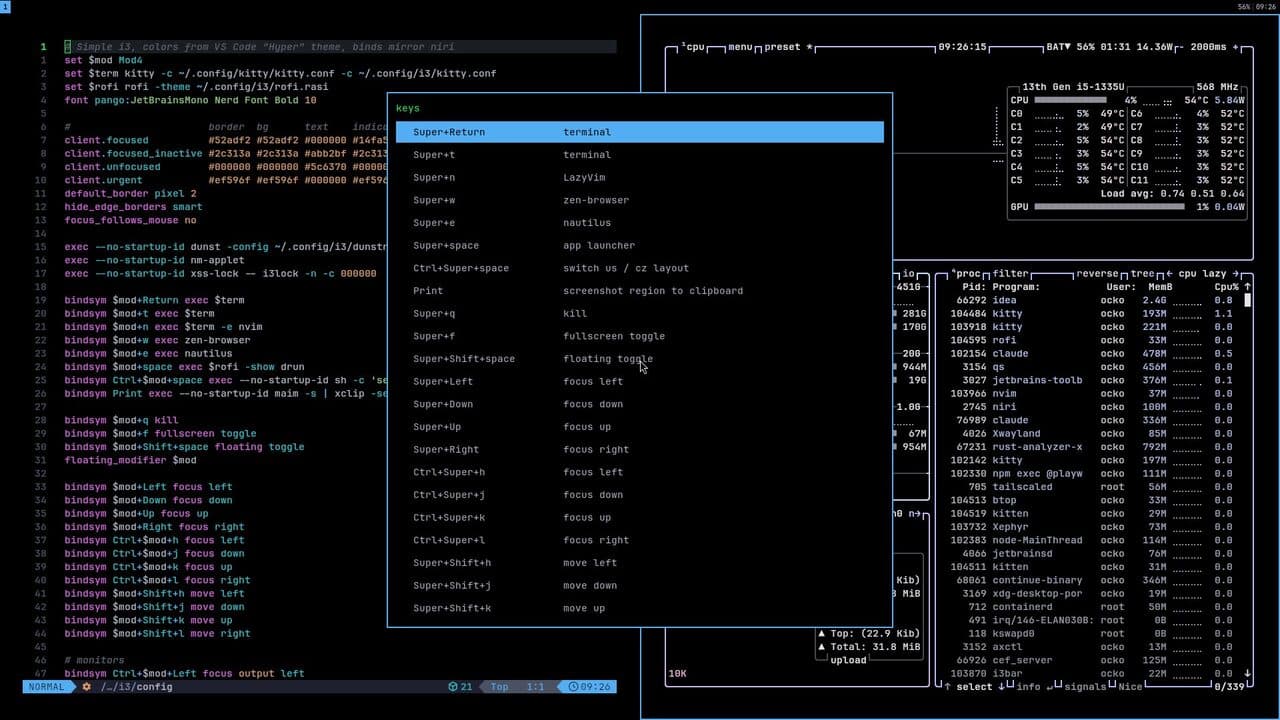
Keybinds
- Super (tap) or Super+R
- app launcher
- Super+D
- maximize under the bar
- Super+Space
- switch us/cz layout
- Super+Return
- terminal + brrtfetch
- Super+C
- LazyVim
- Super+I
- IntelliJ IDEA
- Ctrl+Super+H/J/K/L
- focus
- Super+Shift+H/J/K/L
- move window
- Super+1..0
- workspace
- Super+Shift+1..0
- move window and follow
- Super+Alt+1..0
- move window and stay
- Super+Y/X or Super+Left/Right
- previous/next workspace
- Ctrl+Super+Left/Right
- focus monitor
- Ctrl+Shift+Super+Left/Right
- move window to monitor
- Super+Shift+S or Print
- region screenshot (file + clipboard)
- Copilot key
- Discord, with Ctrl: Spotify
- Fn keys
- volume, mic mute, brightness, touchpad on/off, display menu (laptop only, external, mirror, extend)
- Super+Escape
- power menu (lock, suspend, hibernate, log out, reboot, shut down)
- Super+Shift+Escape
- list every keybind
dotswap – Dotfiles & Linux Rice
Outside of school and projects I run Hyprland on Arch (CachyOS). I call the whole setup dotswap: my desktop is reproducible and swappable – full “rices” (distinct shells, bars, keybinds and theming) that morph the entire environment with a single keypress. The dotswap tool layers them on top of chezmoi so each look is its own version-controlled profile. Everything below is open source and self-installing.
Install script
Installs every package and app the keybinds need, clones all rice profiles and writes the configs. Safe to re-run any time. Just niri + Ambxst: solta.tech/install/niri.
$ curl -fsSL solta.tech/install | bashThe rices
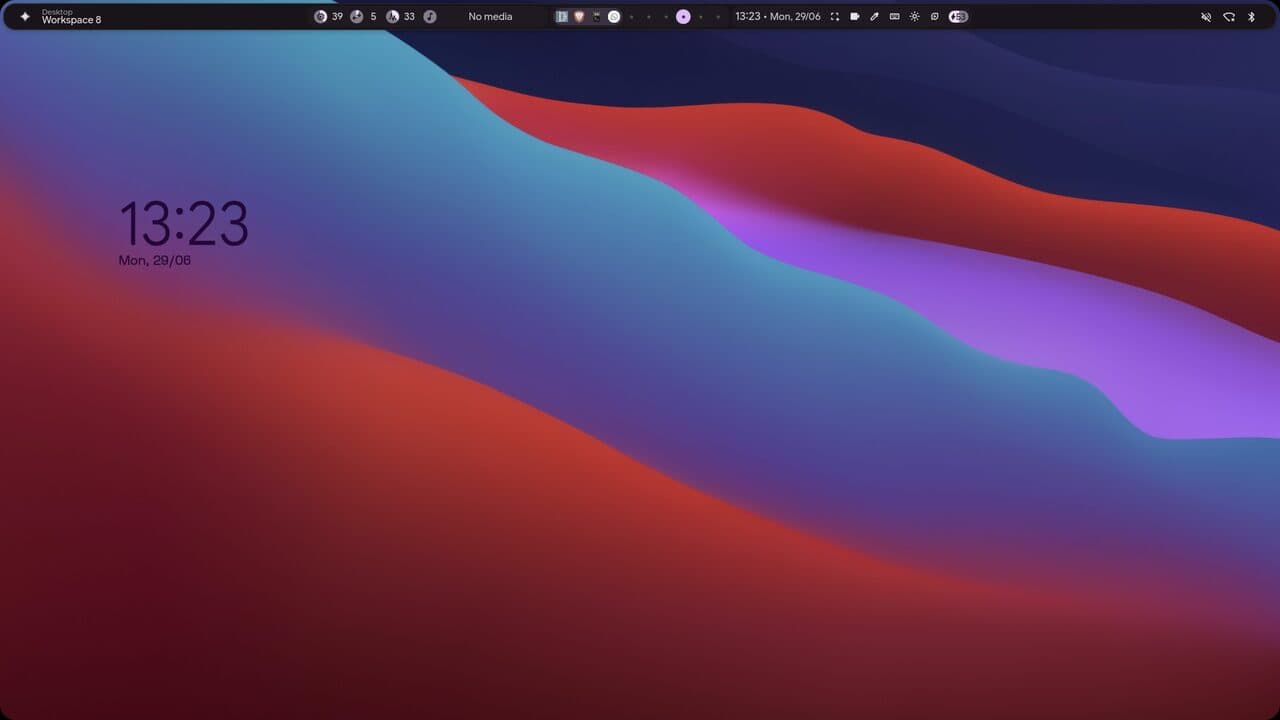
illogical-impulse
Quickshell · qs -c ii
The end-4 dots-hyprland setup – Material You theming, a top bar and a clock-led overview.
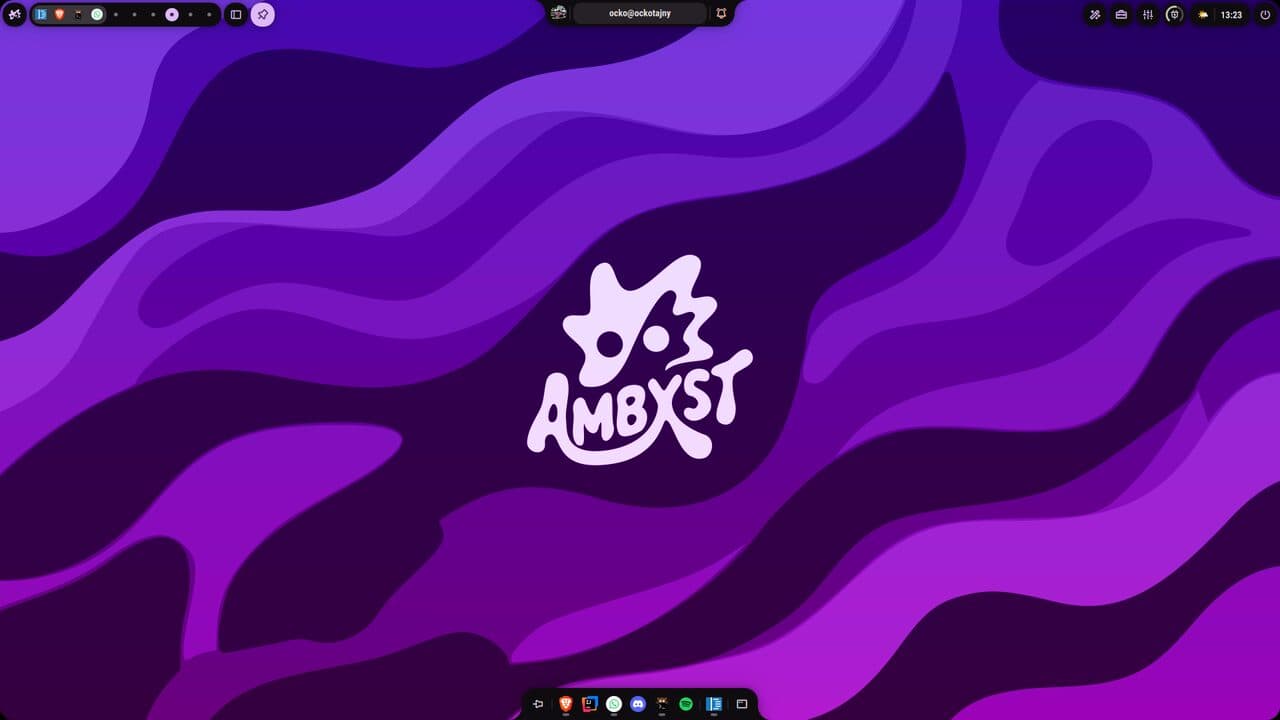
Ambxst
Quickshell + axctl
My daily driver. Axenide's Ambxst shell with a custom dock, scratchpad and tools, themed in purple.
illogical-impulse
Quickshell · qs -c ii
The end-4 dots-hyprland setup – Material You theming, a top bar and a clock-led overview.
Ambxst
Quickshell + axctl
My daily driver. Axenide's Ambxst shell with a custom dock, scratchpad and tools, themed in purple.
How dotswap works
Each rice is a separate chezmoi source tree (a git branch). `dotswap use <name>` snapshots the current desktop back into its own profile, then applies the target profile's config to disk – shell, Hyprland, terminal, theme and all. Because every switch auto-saves first, live tweaks are never lost; the active profile is just whichever branch is checked out onto your home directory.
One keypress to morph
A small post-apply step stops the outgoing shell and starts the incoming one, then reloads Hyprland. Bound to a single chord (Ctrl+Shift+Super+Left/Right), it cycles the entire desktop between rices without logging out.
Reproducible on any machine
The repo ships an installer branch with the dotswap tools and an install.sh that pulls each profile branch, installs the dependencies and applies a default rice – so a fresh Arch box becomes my exact setup in one command.
Tools
dotswap – swap the whole desktop to another rice profile. dotswap-cycle – jump to the next/previous rice. dotswap-postapply – stop the old shell, start the new one, reload Hyprland. whisper-flow – offline speech-to-text dictation for Wayland. kb-toggle – switch keyboard layout (cz/us) with a notification. LazyVim – pre-configured Neovim (LSP, treesitter, Mason) that self-bootstraps on first launch. zsh + oh-my-zsh – default shell with autosuggestions and syntax highlighting.
Keybinds
Super+Return – terminal (kitty + brrtfetch). Super+C – LazyVim (Neovim). Super+W – browser · Super+E – files · Super+B – btop. Super+Y – whisper-flow speech-to-text dictation. Super+Space – toggle keyboard layout (cz/us) + notification. Ctrl+Shift+Super+Left/Right – cycle rice profiles. Ctrl+Super+P – jump to the Win11 profile.